Media Requests
The Media Requests page has two tabs: History and Gaps.
History
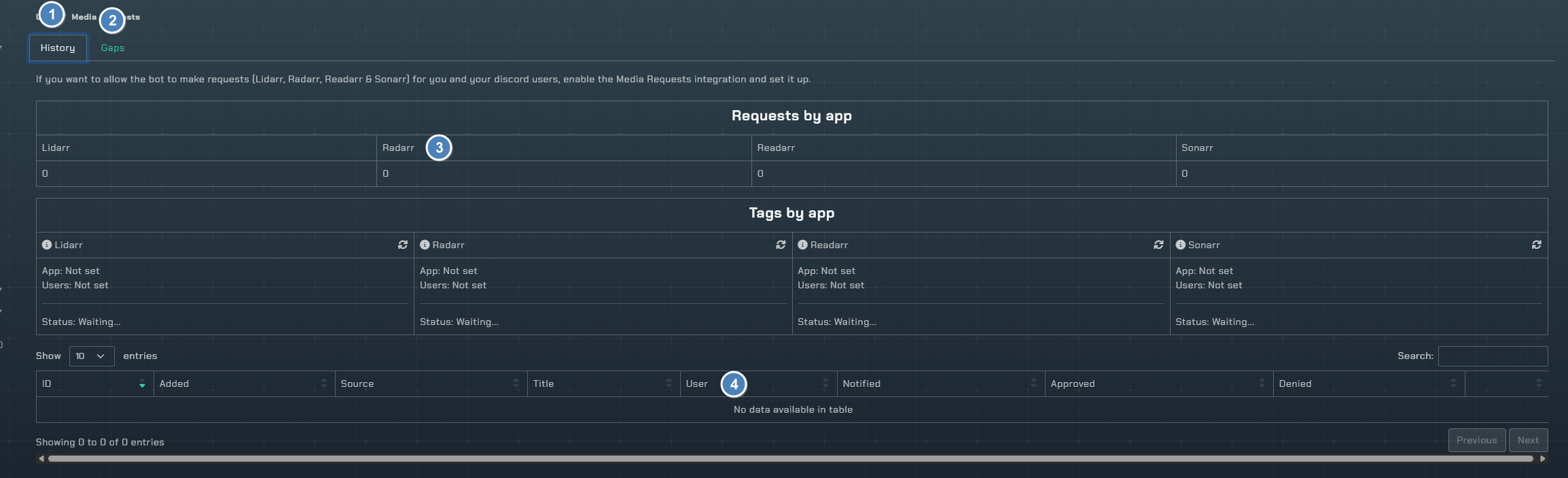
- History tab will show you all your request history from the bot
- Radarr collections (
Subscriberfeature, details below) - Total requests per *arr app
- Details about each request made
- Action buttons for things that are pending if approval is used (This can also be done with the bot)
Note
If the Media Requests integration is not enabled, a message will be shown to enable it first. The integration supports Lidarr, Radarr, Readarr, and Sonarr requests.
Requests by App
A summary table showing the total request count for each *arr application: Lidarr, Radarr, Readarr, and Sonarr.
Tags by App
A table displaying the configured tags for each *arr application:
Apptags - Tags configured at the application levelUsertags - Tags configured per Discord user via folder mappingUpdate missing tags- Click the refresh icon to retroactively apply tags to requests that are missing them
Request Details
A sortable table of all requests with columns: ID, Added, Source, Title, User, Notified, Approved, Denied, and action buttons.
- Titles link to their respective external database (TMDB for Radarr, TVDB for Sonarr, MusicBrainz for Lidarr, Goodreads for Readarr)
- Pending requests show
Details,Approve, andDenybuttons
Collections Monitoring (Gaps)
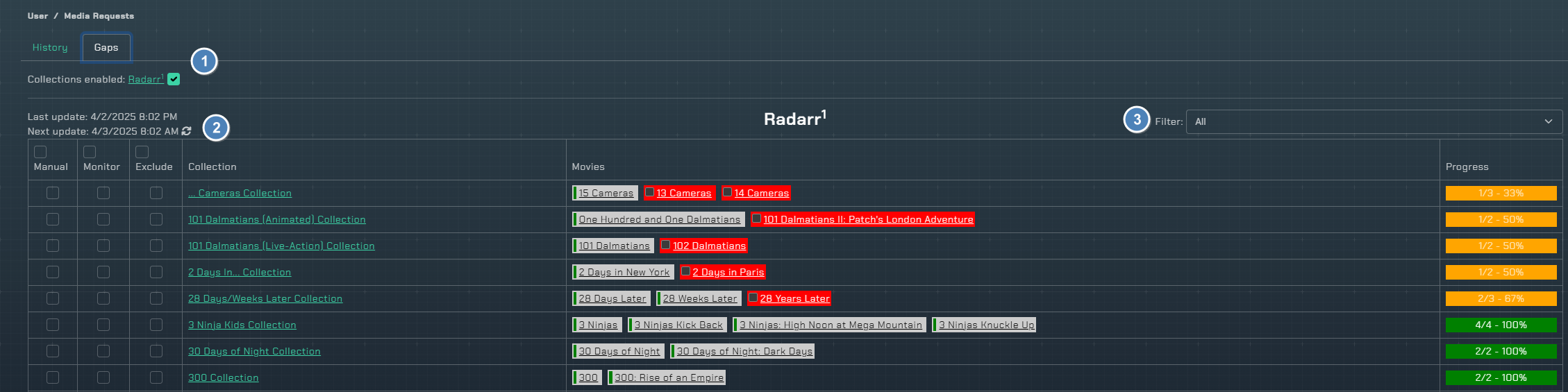
- Turn monitoring on/off per instance
- Sync happens automatically every 12 hours, refresh icon will do an instant sync
- Filter the table of collections
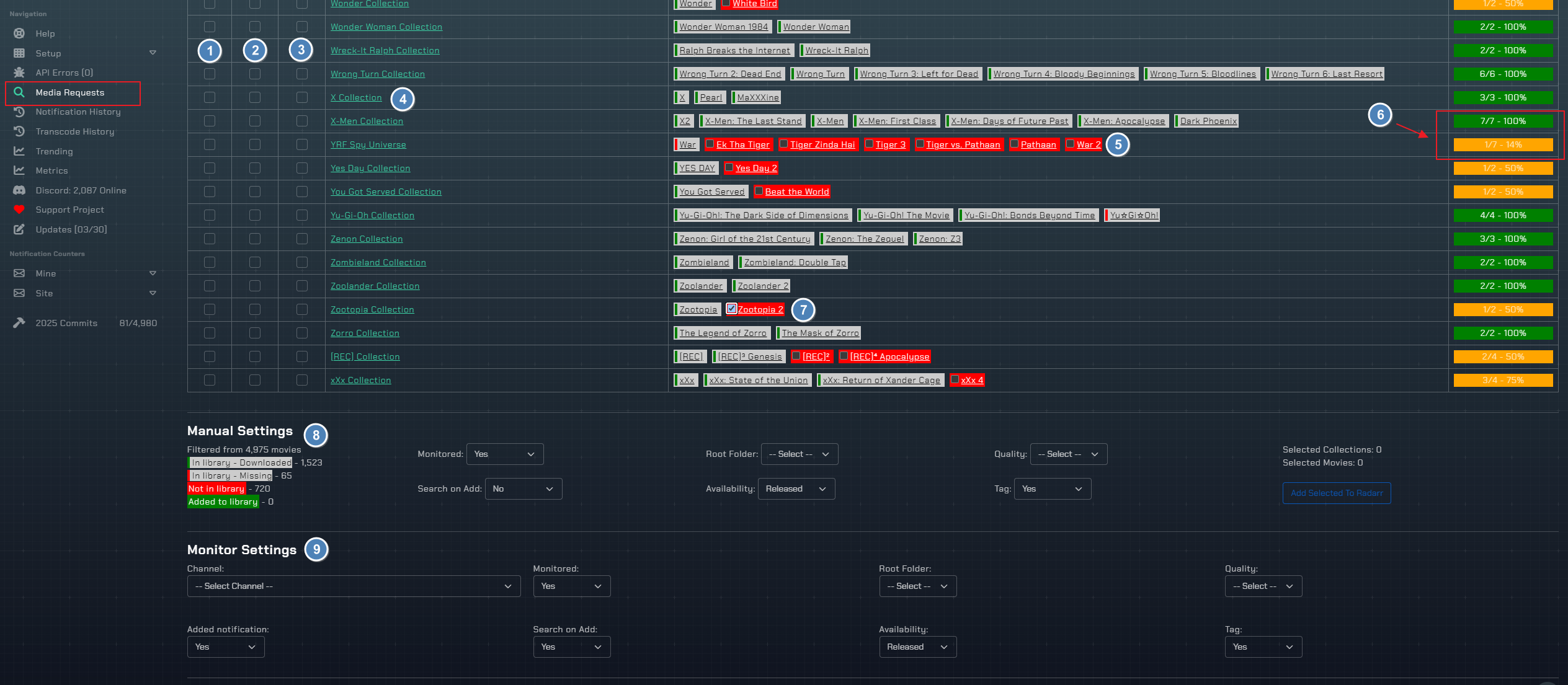
- Manual checkbox, something you are going to add now
- Monitor checkbox, something you want to automatically have monitored so when new movies are added to the collection, they are automatically added to your library
- Exclude checkbox, something you do not want to monitor during automation
- TMDb collection name and link to the collection
- List of movies in the collection and if you have them or not
- Percentage of the collection that is completed
- A check before the movie means the movie is in Radarr's list exclusion and will not be added even if automatically monitoring the collection
- Manual settings if you want to add missing movies from collections now
- Monitor settings for how automation will be handled