Website Status
Info
This integration allows for notifications based on website status.
Trigger options
The following triggers are available:
Started- When a monitored website goes down or becomes unreachable.Acknowledged- When you acknowledge the incident.Resolved- When the monitored website returns a successful response.
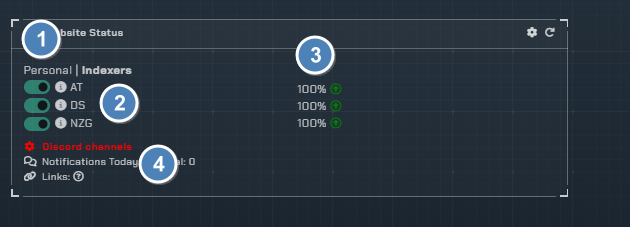
- Toggle on/off for each website being monitored
- List of websites being monitored (Click the information icon for some simple stats)
- Uptime percentage since monitoring started
- Channel to post notifications to
Configuration

Click the cog icon to open the configuration options for website monitoring.
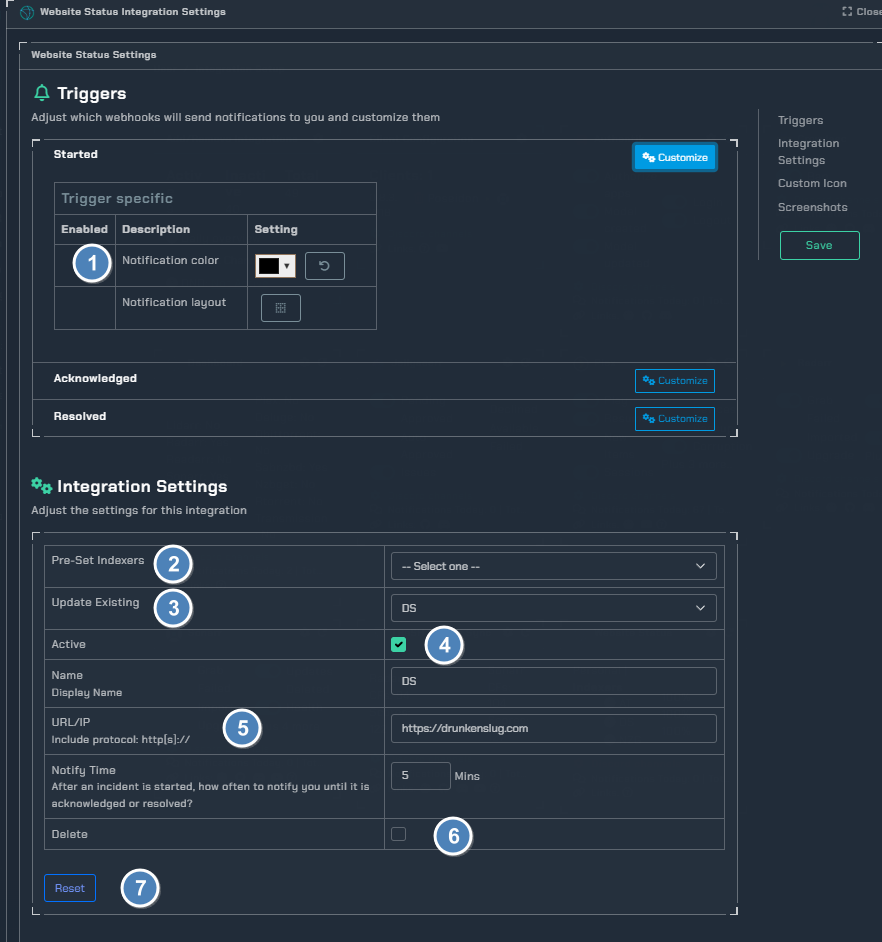
- Colors for notifications based on status
- Select pre-defined websites to monitor
- Update the selected website
- Toggle active state on/off
- URL of the desired website
- Delete toggle "browser popup to confirm action"
- Reset all integration settings