Uptime-Kuma
Note
setup notifications for Uptime Kuma
Trigger Options
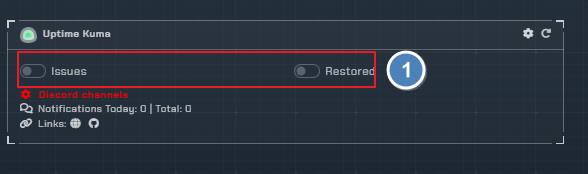
Issue- Be notified of any issues.Restored- Be notified when sites are back up.
Notification Fields
Each trigger has the following notification fields that can be toggled on or off:
| Field | Description |
|---|---|
Name | Monitor name |
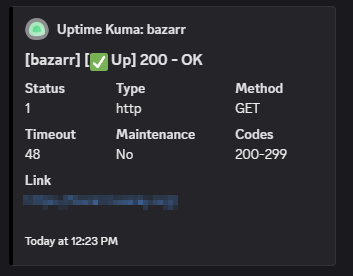
Status | Current monitor status |
URL | Monitored URL |
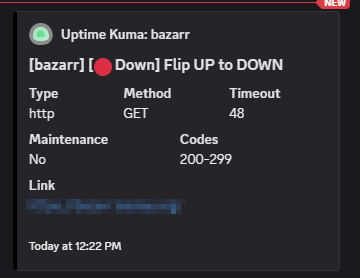
Type | Monitor type |
Timeout | Monitor timeout value |
Method | HTTP method used |
Maintenance | Maintenance status |
Codes | Expected status codes |
Instructions
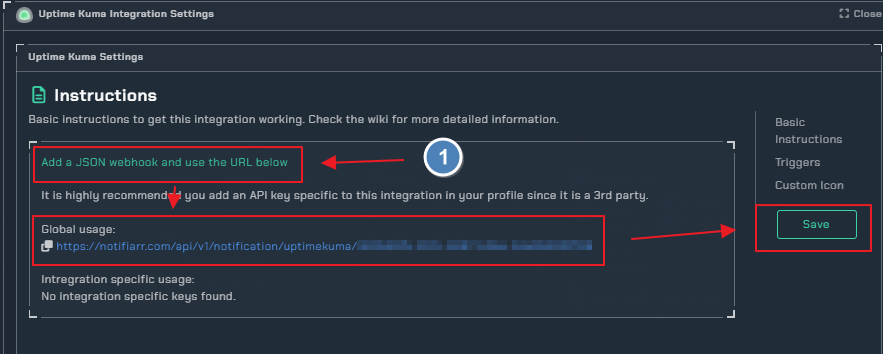
Info
Add the webhook to your Uptime Kuma via Uptime-Kuma → Settings → Notifications → Setup Notifications
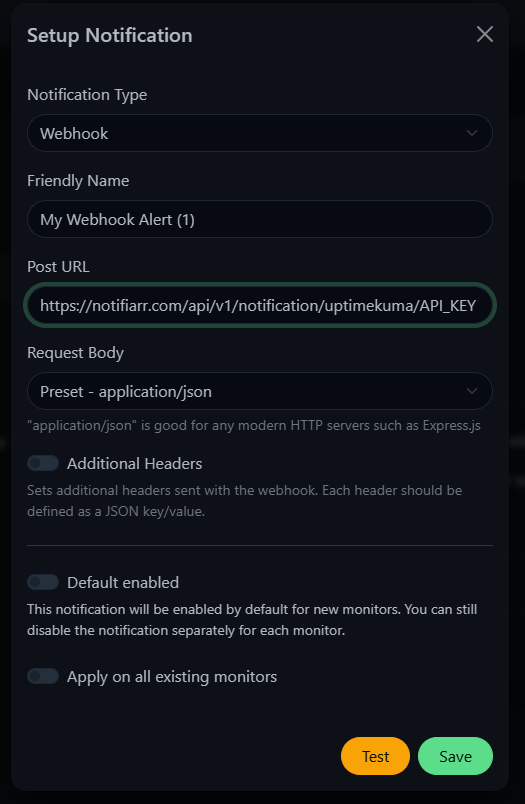
Configuration
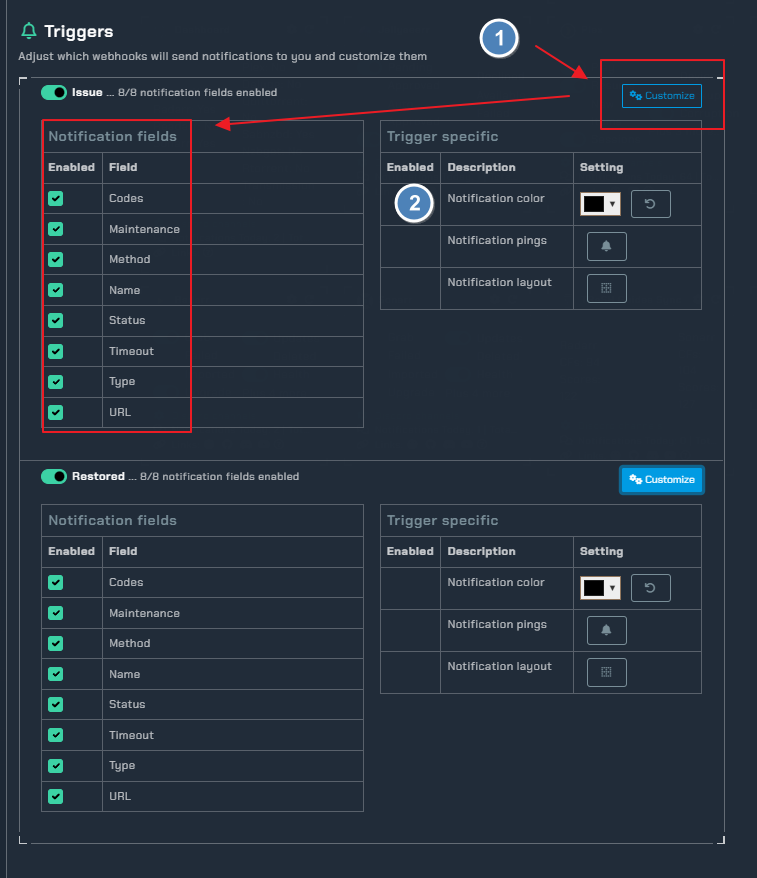
- click the
Customizetoggle to open the trigger settings. - Choose the color of your notification.
Examples
| Uptime-Kuma UP | Uptime-Kuma DOWN |
|---|---|
 |  |