RSS Watcher
Integration Card
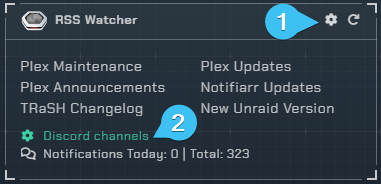
- Configuration
- Channel picker for the feeds
Channel Picker
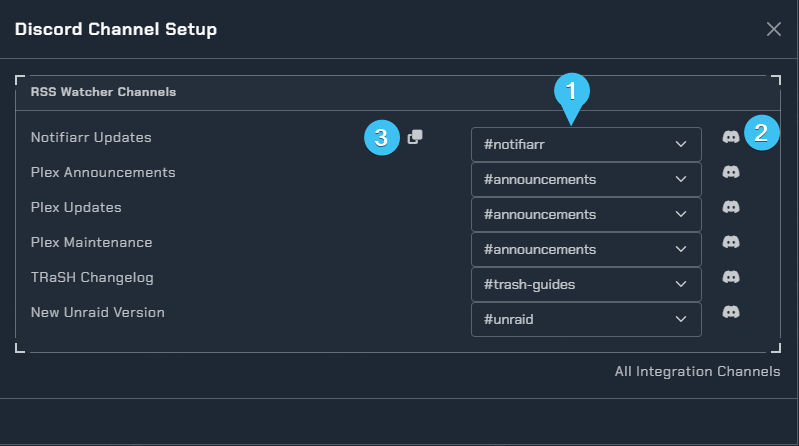
- List of channels
Dropdown menu - Test bot channel permissions
- Copy Channel to all
Configuration
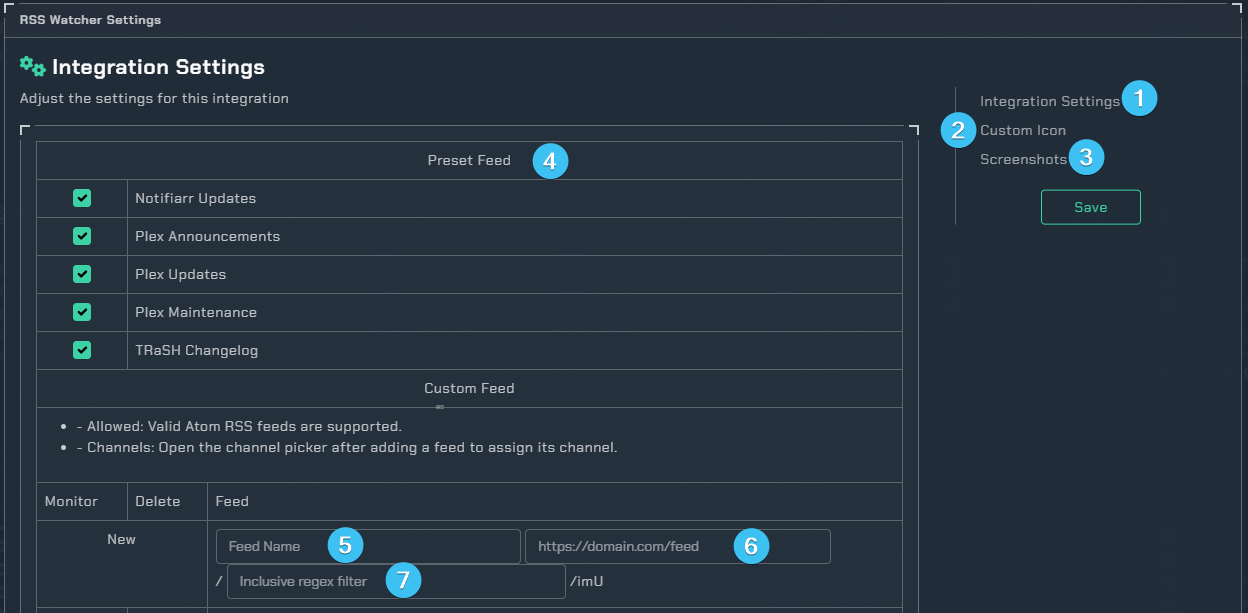
- Page to configure the RSS Watcher.
- Custom Icon
Subscriber Feature - Example screenshots of what you can expect the notification to look like.
Preset Feeds
Toggle on the preset RSS feeds you want to receive notifications from. In addition to the standard preset feeds, there are two special feeds:
- Movie News - Sourced from
filmjabber.com. When enabled, you can select which sub-feeds to include:- Recent theaters
- Upcoming theaters
- Recent physical
- Upcoming physical
- Show News - Sourced from
ismyshowcancelled.com. When enabled, you can select which sub-feeds to include:- Announced
- Renewed
- Cancelled
Custom Feeds
You can add your own RSS feeds with the following settings:
- Active - Enable or disable the custom feed
- Name - A display name for the custom feed
- URL - The URL for the RSS feed (must be a valid Atom RSS feed)
- Include - An inclusive regex filter to only post matching items
- Delete - Remove an existing custom feed
Note
Open the channel picker after adding a feed to assign its channel.