Release Parser
Info
This integration allows for users to parse a release name in the same method Radarr and Sonarr do to see how the name will be treated.
Trigger options
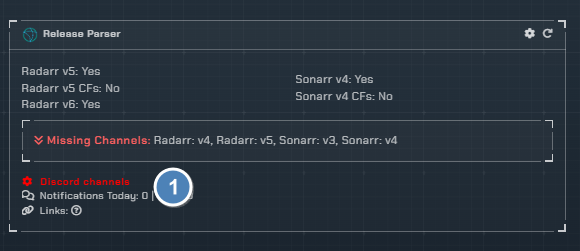
Triggers
Each trigger is a Discord command keyword that the bot watches for in the configured channel. When a message matches, the bot parses the release name and responds with how Radarr or Sonarr would interpret it.
Radarr v5- Parse a release name using the Radarr v5 parser (default command:!parse radarr4)Radarr v5 (CFs)- Parse a release name using the Radarr v5 parser with Custom Formats (default command:!parse radarr4CF)Radarr v6- Parse a release name using the Radarr v6 parser (default command:!parse radarr5)Sonarr v4- Parse a release name using the Sonarr v4 parser (default command:!parse sonarr4)Sonarr v4 (CFs)- Parse a release name using the Sonarr v4 parser with Custom Formats (default command:!parse sonarr4CF)
Channels
- Select the channel to monitor for releases to be checked
Configuration

Click the cog icon to open the configuration options for the Release parser.
Trigger Commands
Each trigger has a customizable command keyword. Set the keyword for each parser type, then use it in Discord followed by a release name to parse it.
Example usage: !parse radarr4 movie.2020.webdl-1080.en-group
There is also an auto-detect parser on the configuration page that will automatically determine whether to use the Radarr or Sonarr parser based on the release name.
Instructions
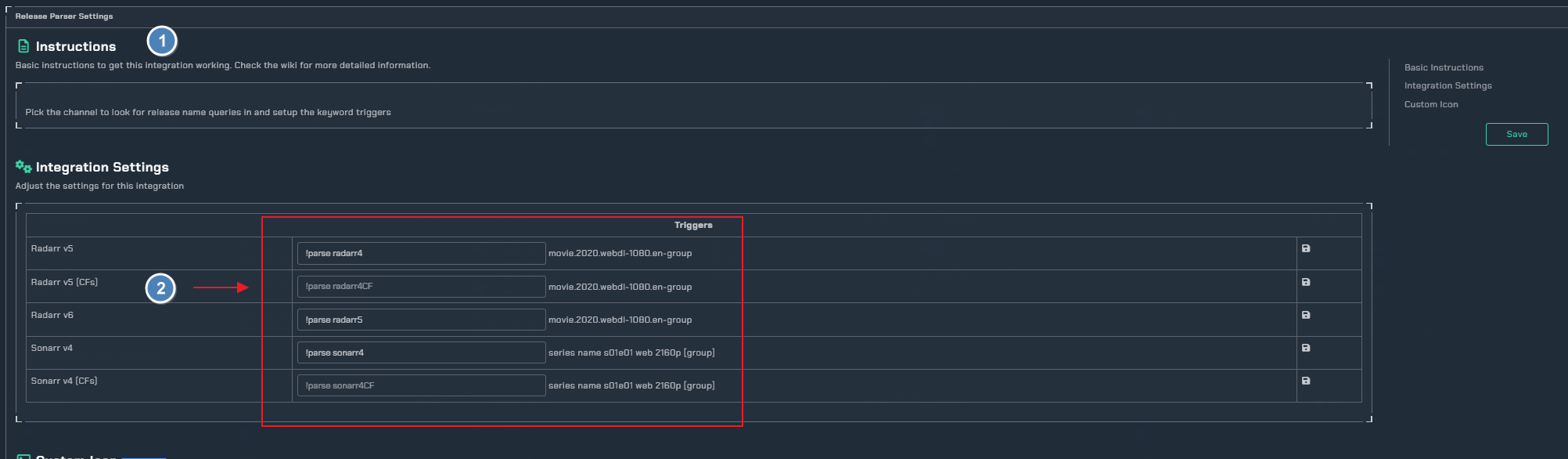
- Basic instructions on how to set up the integration
- Pick the keywords that the bot will watch for