Hotio
Info
This integration allows for notifications from Hotio.
Currently supported
- Pullio
Trigger options
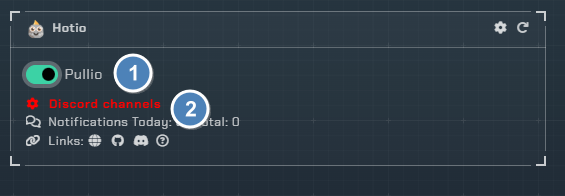
- Triggers
Pullio- Enable notifications from Pullio
- Channel
- Pick the channel on your server to send Pullio notifications to.
Configuration

Click the cog icon to open the configuration options for Hotio apps.
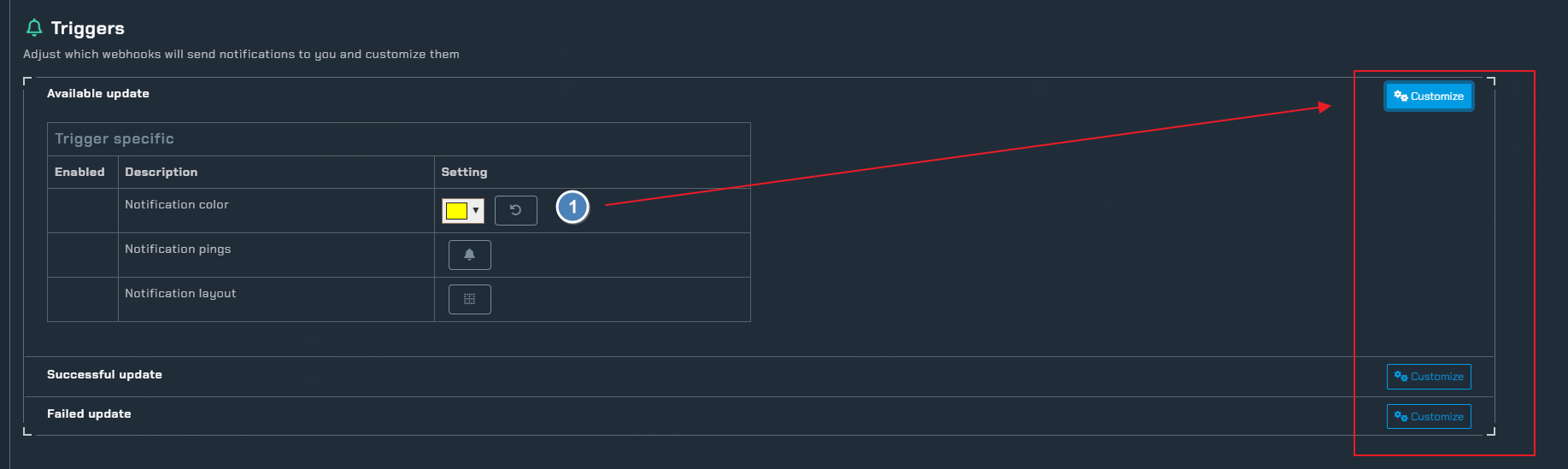
Triggers
There are three trigger states for Pullio, each with its own settings:
Available update- Notifies when an update is available for a container- Notification color
- Notification pings
- Notification layout
Successful update- Notifies when a container update completes successfully- Notification color
- Notification pings
- Notification layout
Failed update- Notifies when a container update fails- Notification color
- Notification pings
- Notification layout
Instructions
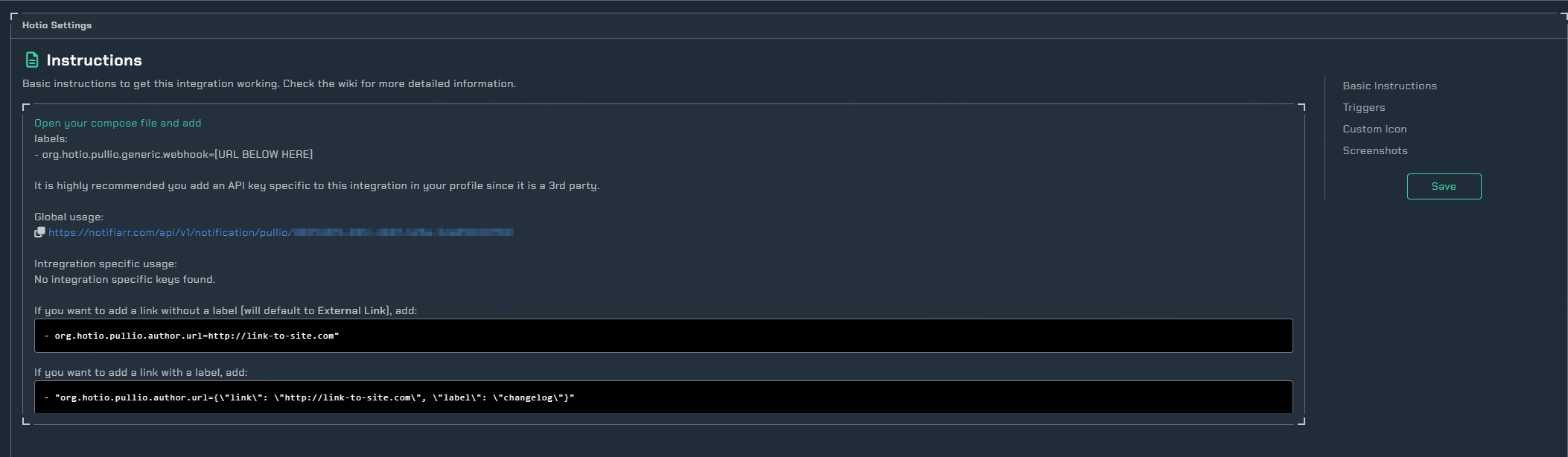
The compose entry to enable Notifiarr with Pullio
Note
for images: If you do not specify an avatar image in the app compose one will be used from the site so you do not have to worry about image hosting sites.