GitHub
Info
This integration allows for notifications from public and private GitHub repositories.
Trigger options
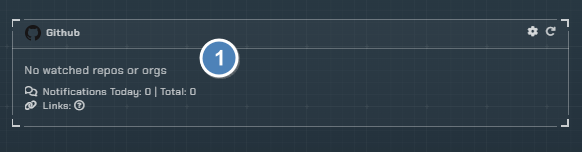
- Triggers
- List of all repositories and organizations with notifications enabled
Configuration

Click the cog icon to open the configuration options for GitHub. The configuration is organized into three tabs: Organization/Repository, Discord Server, and Notifications.
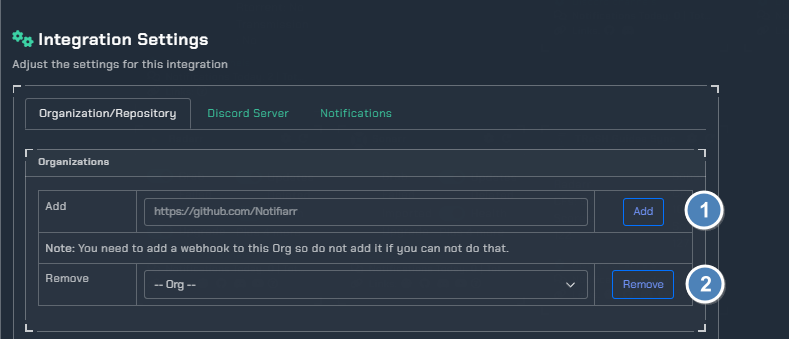
Organization/Repository Tab
- Organizations - Add the organization URL. You have to be able to manage the selected Organization so you can add webhooks.
- Remove Organization - Remove an existing organization. Keep in mind this removes all repositories linked to it.
- Private Repos - Add private repositories manually, one
org/repositoryper line (e.g.Notifiarr/Notifiarr). You need to add a webhook to the org so do not add it if you cannot do that.
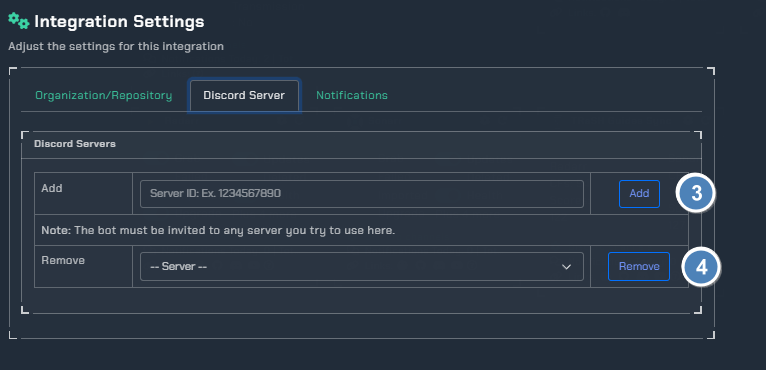
Discord Server Tab
- Add Server - Add a discord server by its Server ID. The default server is available but this allows you to push notifications to other servers. The bot must be invited to any server you try to use here.
- Remove Server - Remove a discord server (the default server cannot be removed).
Notifications Tab
General Notification Settings
Content- Choose betweenAll notification fieldsorLess notification fieldsto control the amount of detail in notificationsIgnore users- Ignore messages from specific users; comma separated list of usernames
Organization Level Settings
Set a default server and channel for an entire organization. Individual triggers are controlled on GitHub and will send to the selected channel(s). Using organization level settings makes repository settings optional.
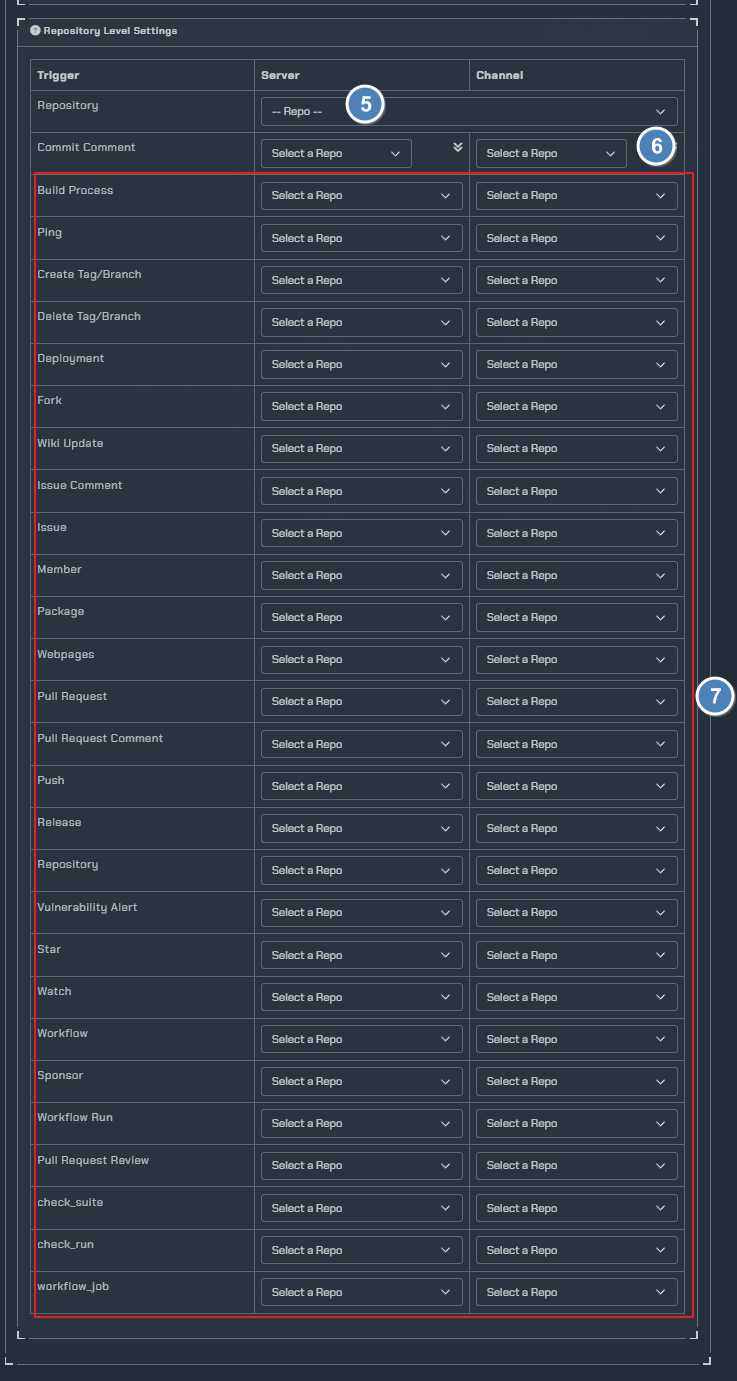
Repository Level Settings
- Pick a repository from the dropdown - they are pulled automatically based on the organizations added (including private repos)
- Copy the
ServerorChannelselection to all triggers using the arrow icons - Set the server and channel for each available GitHub trigger individually
Tip
All triggers should be enabled on GitHub and will send to the selected channel(s).
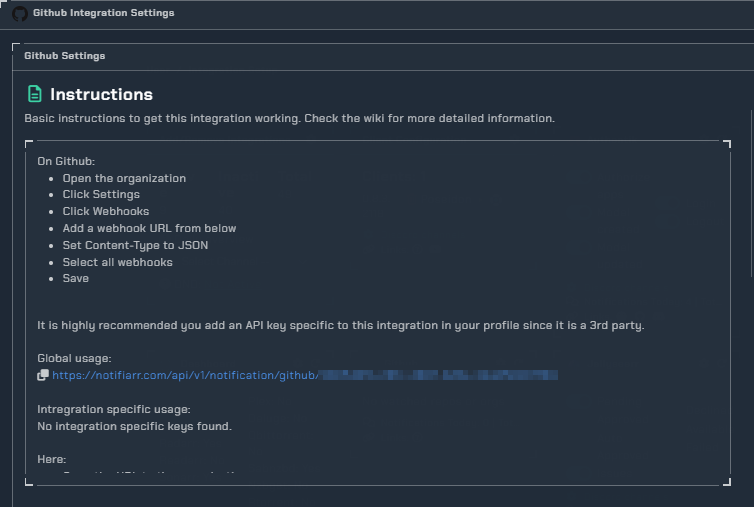
Instructions
Note
This is how you add the webhook to GitHub and then how you add the organization in the GitHub integration