Emby
Info
This integration allows for notifications from the Emby media app
Trigger options
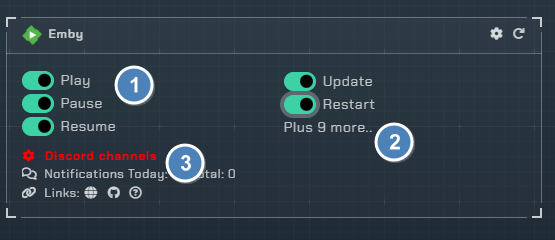
Triggers
Play / Test- Receive a notification when media starts playing. Also used for testing the integrationPause- Receive a notification when media playback is pausedResume- Receive a notification when media playback is resumedStop- Receive a notification when media playback is stoppedFinished- Receive a notification when media has finished playing (scrobble)New Items- Receive a notification when a new item is added to the libraryUser Authentication- Receive a notification on user login, failed login, or lockoutPlugin Installed- Receive a notification when a plugin is installedPlugin Updated- Receive a notification when a plugin is updatedPlugin Uninstalled- Receive a notification when a plugin is uninstalledUpdate Available- Receive a notification when an Emby server update is availableServer Restart- Receive a notification when the Emby server restartsMark Favorite- Receive a notification when a user marks an item as a favoriteMark Watched- Receive a notification when a user marks an item as watchedMark Unwatched- Receive a notification when a user marks an item as unwatched
Channels
- Setup the channel(s) to use for sending Emby notifications
Configuration

Click the cog icon to open the configuration options for Emby.
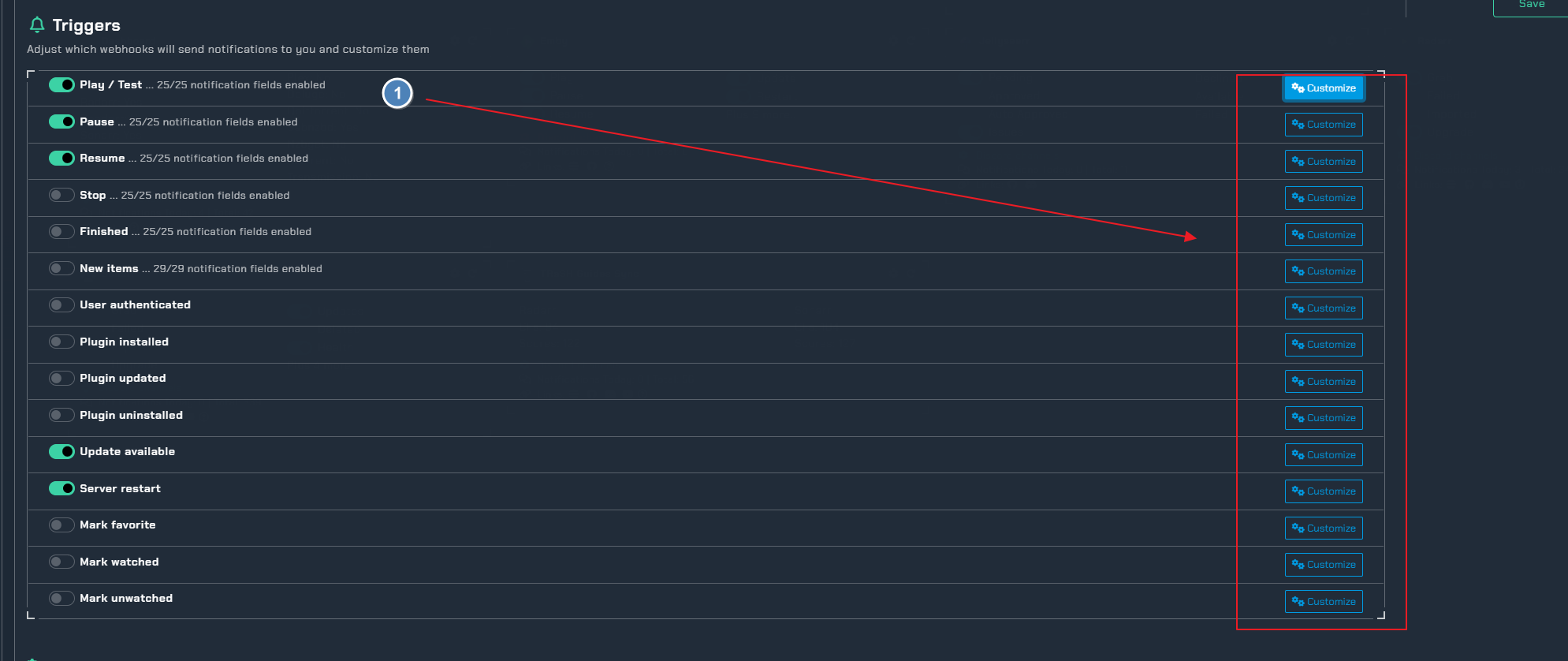
- Enable triggers and pick colors for each trigger
Integration Settings
Split by Rating- Send notifications with selected content ratings to a separate channelUnmonitor movies on finish- Automatically unmonitor a movie after a user finishes watching (Patron feature, requires valid Radarr information in client)Unmonitor episodes on finish- Automatically unmonitor an episode after a user finishes watching (Patron feature, requires valid Sonarr information in client)
Instructions
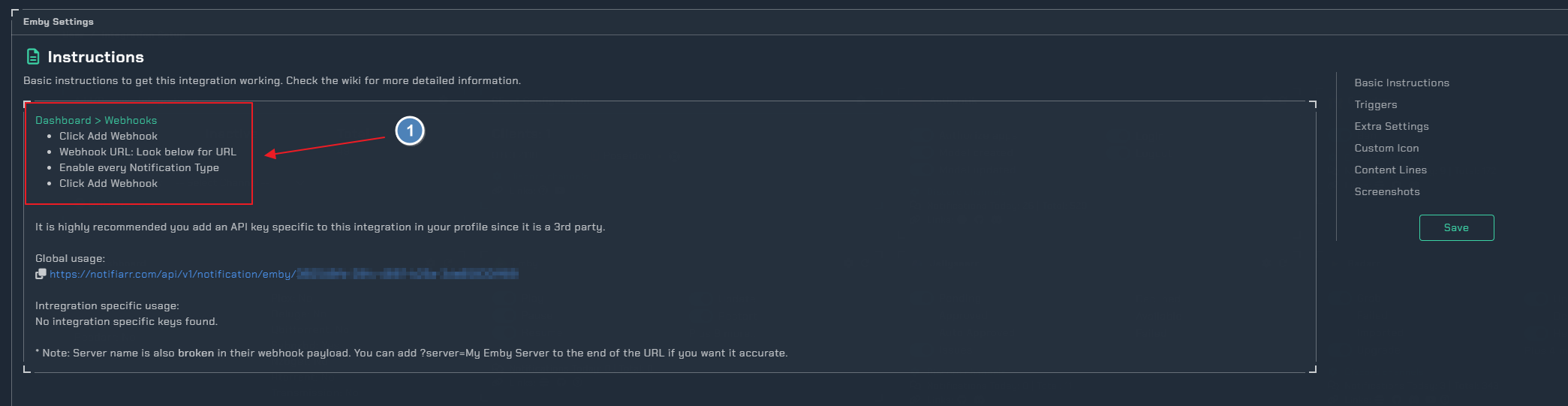
- This needs to be done in Emby to enable webhooks